

ReciteFlow
English
Get the app

Blanking on the next line?

Memorize lyrics, lines and speeches word for word

See one line, say the next. An Android app that teaches you a text in order, paced to the day you need to know it by.

Get it on Google Play
  • Free for up to 3 sets
  • Works offline
  • No account
  • No ads
  • No subscription

Try it on a line you might know

Previous lineAct 3, Scene 1

To be, or not to be, that is the question:

What comes next?Next line

Say the next line from memory, then tap to checkDid you get it?

William Shakespeare, Hamlet

How it works 8 screens

The app, screen by screen

Real screens from the app, cropped to the part that does the work.

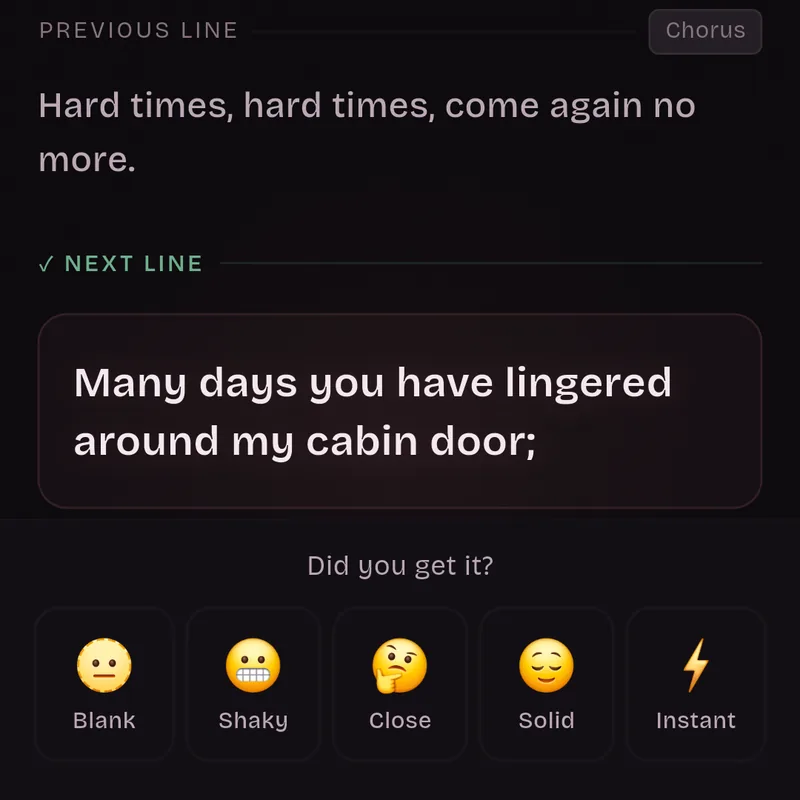
  1. The practice card after tapping, in the chorus: the previous line, then the next line revealed, 'Many days you have lingered around my cabin door;'. Below it, Did you get it? and five rating faces: Blank, Shaky, Close, Solid and Instant.

    01 The method

    See one line, say the next

    Each card shows a line and asks for the one that comes next. Say or sing it from memory, then reveal it and rate how it went. Nothing is read aloud and nothing listens to you, so you can practice quietly anywhere.

    Anything below Solid comes back later in the same session, and your ratings decide which day each line is due next (FSRS spaced repetition).

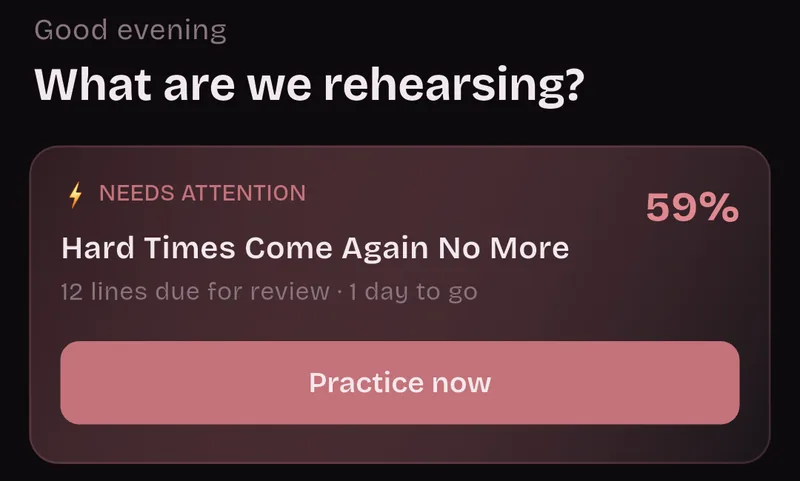
  2. Home screen: Good evening, What are we rehearsing? Needs attention: Hard Times Come Again No More, 12 lines due for review, 1 day to go, 59%, Practice now.

    02 Your date

    Need to know it by tomorrow? Practice every line today

    Add the day you need to know it by: a gig, your off-book day, a first rehearsal or an exam. It's optional. In the last week, sessions get longer and bring in more new lines.

    In the last 3 days every remaining line comes in, so even with one day left you practice the whole text. On the day itself, a session goes over every line you've started.

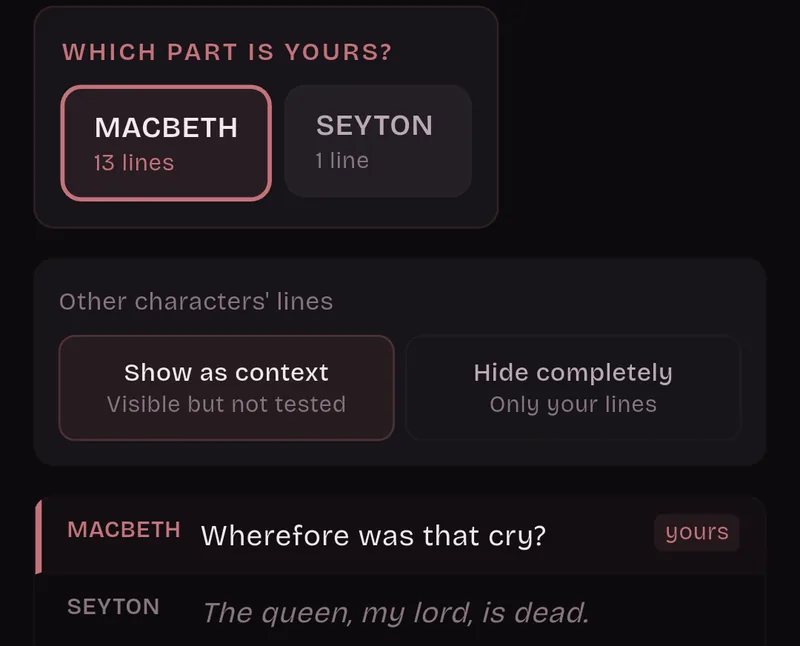
  3. Which part is yours? Macbeth, 13 lines, is selected and Seyton, 1 line, is not. Other characters' lines: Show as context. Macbeth's line is tagged yours and Seyton's is dimmed.

    03 Scripts

    Only your part gets tested

    Write each line as NAME: line or NAME. line, or put the name in capitals on its own line. Pick which part is yours and only your lines are tested. Other characters' lines can stay on screen as your cues, or you can hide them.

    Headings like Act 1 are never tested, and neither are stage directions on their own line, in (parentheses) or [brackets].

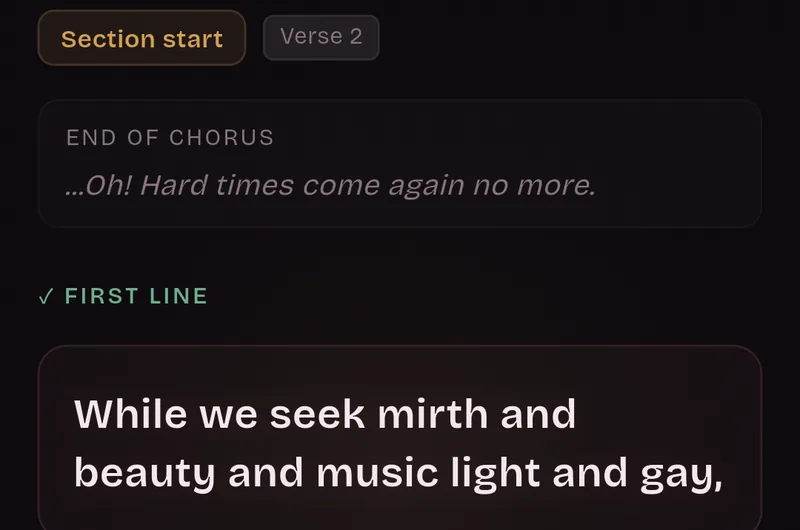
  4. Section start card, Verse 2: the end of the chorus, then the first line, 'While we seek mirth and beauty and music light and gay,'.

    04 Section starts

    Practice what comes after the chorus

    New lines come in the order of your text. The first line of each section gets its own card that shows how the section before it ends, so you also practice getting from one part to the next.

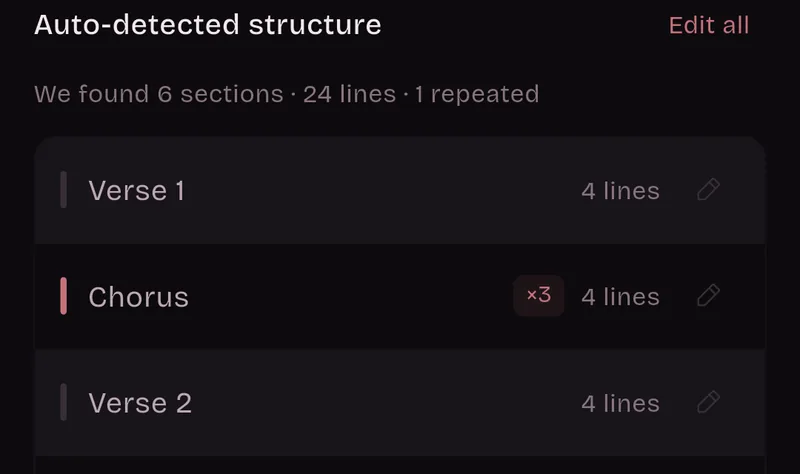
  5. Auto-detected structure: 6 sections, 24 lines, 1 repeated. Verse 1, 4 lines; Chorus, times three, 4 lines; Verse 2, 4 lines.

    05 Songs

    A repeated chorus is learned once

    Label the parts [Verse 1], [Chorus] and so on, or leave a blank line between them. Song lyrics stay exactly as you wrote them.

    It's words only, with no audio, so you find out whether you really know the lyrics without the track carrying you.

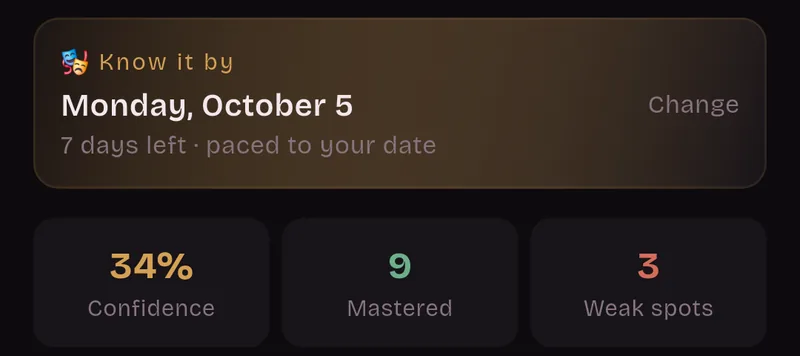
  6. Know it by Monday, October 5. 7 days left, paced to your date. 34% confidence, 9 mastered, 3 weak spots.

    06 Speeches

    Speech next week? Drill your weak spots

    Each set shows the days left and how your lines are going. In anything that isn't a song, lines longer than 12 words are cut into shorter chunks.

    "Weak spots only" drills the lines you keep missing. Run-through takes you through the lines that have come in so far, in order, without rating anything.

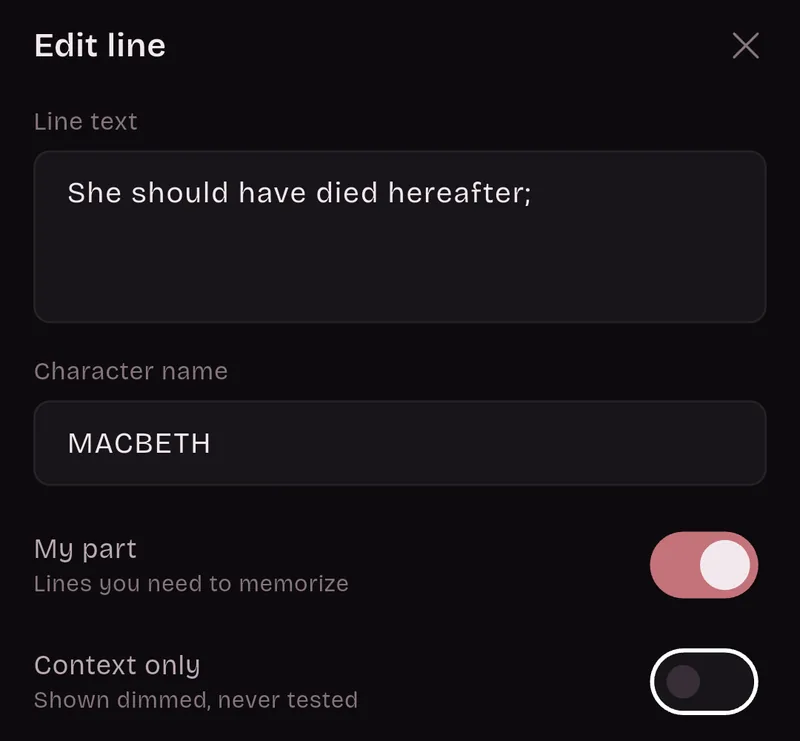
  7. Edit line sheet: line text 'She should have died hereafter;', character name MACBETH, My part switched on, Context only switched off.

    07 Editing

    Fix any line, keep your progress

    Check how your text was split and fix anything that looks wrong before you save. Later you can still fix, add or delete lines, or mark one as My part or Context only. The lines you keep hold on to their progress.

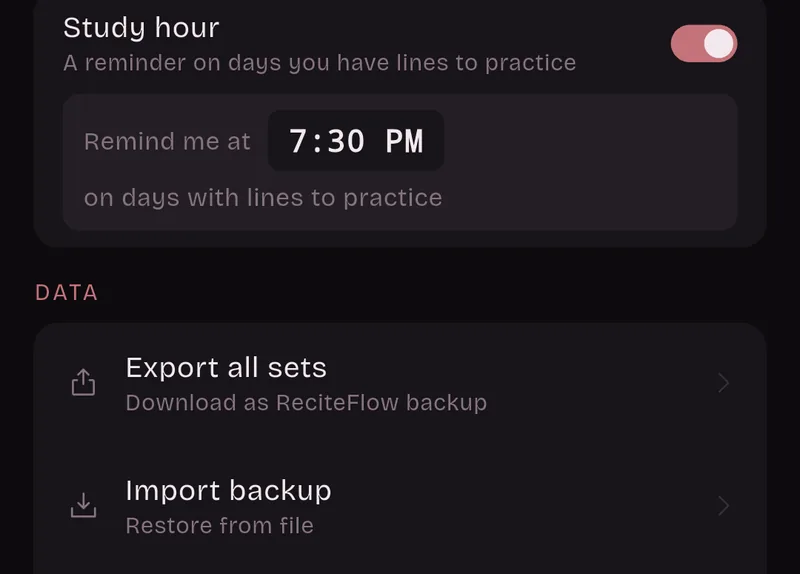
  8. Settings: Study hour, a reminder on days you have lines to practice, remind me at 7:30 PM. Data: Export all sets, Import backup.

    08 Your data

    Works offline. No account.

    Your sets are saved on your phone, not on a ReciteFlow server, and there are no analytics. Back up all your sets to a file, with your progress if you like, and restore them on another phone. You can also share one set with a castmate or your choir.

Why I made it

“I'm a singer and I procrastinate too much. Every single time, I end up with 24 hours to learn a few songs by heart.”

From studying languages I knew how spaced repetition works, but I couldn't find an app that used it on a text you have to know in order, by a date. So I built one, as an excuse to keep procrastinating. It turns out it works.

Pablo, drawn in pixel artPabloSinger, and the maker of ReciteFlow

How it compares

Next to what you might use now

Flashcards and recordings both help. Here is where each one fits, including what ReciteFlow doesn't do.

ReciteFlow compared with flashcard apps and record-and-replay apps
What matters ReciteFlow Flashcard apps Record-and-replay apps
Getting your text in Paste it. It's split into sections and lines for you. You make each card yourself. You record it, or find a track.
Order Lines come in the order of your text, and each line cues the next. Cards usually stand alone and come up mixed. Plays in order, start to finish.
Knowing what you missed You rate every line. Weak lines come back sooner. You rate every card. Usually nothing keeps track of what you missed.
A date to be ready by Your date sets the pace. In the last 3 days every line comes in. Reviews usually follow the algorithm, not your date. No schedule. You decide when to listen.
Only your lines Pick your part. The others stay on screen as cues. Only if you make cards for your lines alone. Some let you leave gaps for your lines.
Melody and pronunciation No. Words only, no audio. Usually not. Yes. That's their strength.

If you sing, use both: a recording for the tune, and ReciteFlow for the words.

Price

Free to start. Pro, once.

A set is one song, script or speech. No trial, no time limit, no ads.

Free

Up to 3 sets at a time. Delete a set and its slot opens up again.

  • Your date, and practice paced to it
  • Weak spots only and run-throughs
  • Choose your part in a script
  • Daily reminder at the time you pick
  • Backups, and sharing a set with your cast or choir

Pro One-time purchase

Pay once in Google Play. It comes back on a new phone with the same Google account.

  • Unlimited sets
  • Hint modes
  • Folders
  • A light theme

Questions

Before you install

Something else? Ask on the support page.

Does it work offline?

Yes. Practice, your sets, the reminder and backups all live on your phone. The internet is only used by Google Play, for buying Pro and for its rating prompt, and by links that open in your browser.

Which languages does it speak?

The app is in 12 languages: English, Spanish, Portuguese, German, French, Italian, Polish, Dutch, Turkish, Indonesian, Romanian and Vietnamese, and more are on the way.

You can paste text in other languages too. Songs stay exactly as you wrote them.

What does it cost?

It's free for up to 3 sets at a time, with no time limit and no trial. Pro is a one-time purchase that adds unlimited sets, hint modes, folders and a light theme. There's no subscription and there are no ads.

Where does my text go? Do I need an account?

Your sets are saved on your phone, not on a ReciteFlow server. There are no analytics and no account to create. You can back up your sets to a file and restore them on another phone, or share one set with a castmate.

Does it listen to me or play audio?

No. Nothing is read aloud and nothing listens to you. You say or sing the line, reveal it, and rate yourself. It doesn't teach melody or notes.

Can it open a PDF or a photo of my script?

No. Copy the text and paste it. Page numbers and CONTINUED marks from a PDF are skipped, but PDF text can still need some tidying, and you can fix any line before and after you save.

Is it on iPhone?

Not at the moment. ReciteFlow is an Android app, on Google Play.

  • Blank
  • Shaky
  • Close
  • Solid
  • Instant

From Blank to Instant by the day you need it

Paste your lyrics, lines or speech, add your date, and start with the first line.

Get it on Google Play

Free for up to 3 sets. Android only for now.